
We provide a basic layout builder for Calendarize it!, that allows you to customize the content of the Event Details Box, Venue Details Box, and Tooltip.
If you have the popular drag and drop builder Visual Composer you have a greater degree of flexibility and can design your own Events Template, Venue Template, and Organizer Template.
If you do not have the Visual Composer, but still want to customize your Events Template we do offer some advanced features for customization. The example below is for adding Start/End Date and Start/End time to your template. If the post_id argument is used you can insert the shortcode anywhere and show data from a specific event.
Shortcode:
- rhc_date
Arguments:
- post_id
- date_format
- time_format
- allday_hide
- label
- label_start
- label_end
- class
Template field output position:
- holder class %1$s
- start label %2$s
- start date %3$s
- start time %4$s
- end label %5$s
- end date %6$s
- end time %7$s
Example 1 – Event start without label
[sws_shortcode width=”100%” float=”none” class=”sws_blue”] [/sws_shortcode]
[rhc_date date_format=”MMMM d, yyyy” time_format=”H:mm”] %3$s @ %4$s – %7$s [/rhc_date]
[sws_divider_padding]
Example with 12-hour time format.
[sws_shortcode width=”100%” float=”none” class=”sws_blue”] [/sws_shortcode]
[rhc_date date_format=”MMMM d, yyyy” time_format=”h:mm tt”] %3$s @ %4$s – %7$s [/rhc_date]
Example 2 – Event start with label
[sws_shortcode width=”100%” float=”none” class=”sws_blue”] [/sws_shortcode]
[rhc_date label_start=”Event start:” date_format=”MMMM d, yyyy” time_format=”H:mm”] %2$s %3$s @ %4$s – %7$s [/rhc_date]
Example 3 – Event start and end
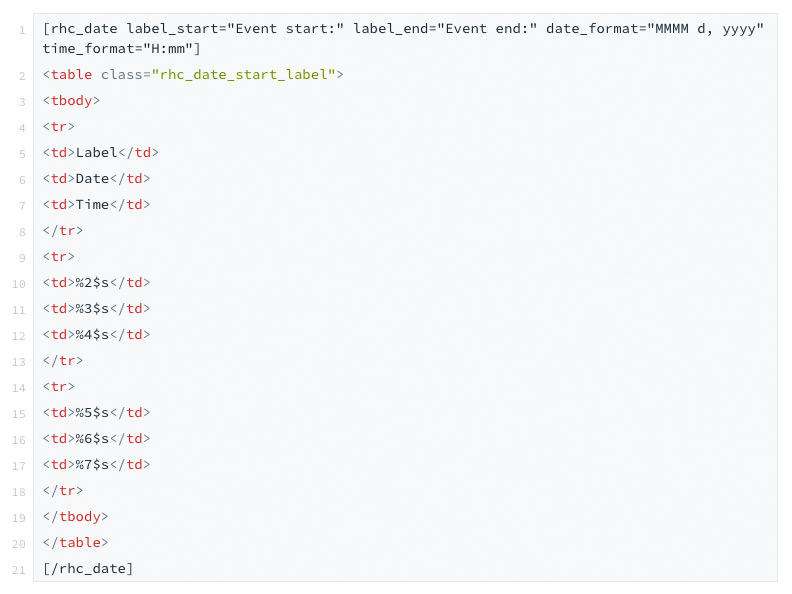
[rhc_date label_start=”Event start:” label_end=”Event end:” date_format=”MMMM d, yyyy” time_format=”H:mm”]
| Label | Date | Time |
| %2$s | %3$s | %4$s |
| %5$s | %6$s | %7$s |
[/rhc_date]
Below you will see the default Event Details Box.