Add-ons / CalendarWP
Events Map
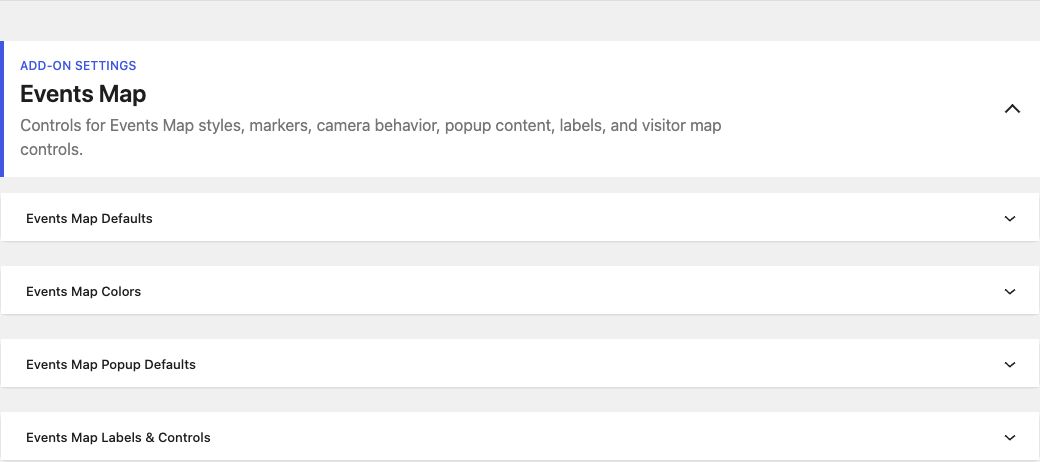 Options > Add-on Settings > Events Map. Open the subsection for the defaults you want to change; individual blocks can override supported defaults. Click to enlarge.
Let visitors explore upcoming public events by venue using a map, an event list or both.
Set up
- Install core and activate CalendarWP - Events Map.
- Open CalendarWP > Options > Integrations > Mapbox. Review the provider disclosure, configure the token and enable the integration.
- Give events an assigned venue with coordinates or a usable street address.
- Add the CalendarWP Events Map block to a page.
- Choose Map-first explorer, Split map and event list or Venue discovery, then publish and check the page signed out.
Mapbox requests require the integration to be enabled with a configured token. When venue coordinates are missing, the add-on can send the saved venue address (or venue name when no address is available) and the token to Mapbox for a coordinate lookup. The block editor's map preview sends venue coordinates, the selected map style and the token to Mapbox.
On public maps, visitors' browsers request tiles directly from Mapbox for the visible area, using the configured public token. Mapbox receives the browser's IP address and normal request information; centering the map on a visitor's location changes the area requested. The location control first asks for browser permission. Event data is loaded from your WordPress site.
Review the Mapbox terms and privacy notice, and update your site's privacy information before enabling the integration. Provider usage and billing are separate from the plugin license.
Core can fill missing venue coordinates from saved addresses and run a lookup batch for existing venues. See Look up missing venue coordinates for Mapbox requirements and unresolved-address handling. The Events Map add-on is not required for that core lookup tool.
Defaults and per-block customization
Open Options > Add-on Settings > Events Map for Defaults, Colors, Popup and Labels & Controls. Blocks retaining Use Events Map defaults follow the shared settings; individual blocks can override them.
Choose the map style, colors, initial camera behavior, popup content and visitor controls appropriate to the page. Search, dates and calendar filters narrow the results. Search this area changes the visible area search. Clustering groups nearby markers; list layouts provide another way to open events.
An event linked to an enabled Scheduler booking type can show Reserve Spot where configured. A map marker alone does not make an event bookable.
Choose a view
Select the CalendarWP Events Map block in the editor and choose its Layout. The three views present the same event information in different ways. Search, date and calendar controls can be enabled or hidden for each block. The screenshots below use demonstration events and customized appearance settings; your content, theme and selected map style may look different.
Split Map and Event List
Choose Split map and event list to put upcoming event cards beside the map on a wide screen. Visitors can scan dates, titles and venues while keeping the locations in view. This is useful when both the schedule and the location matter.
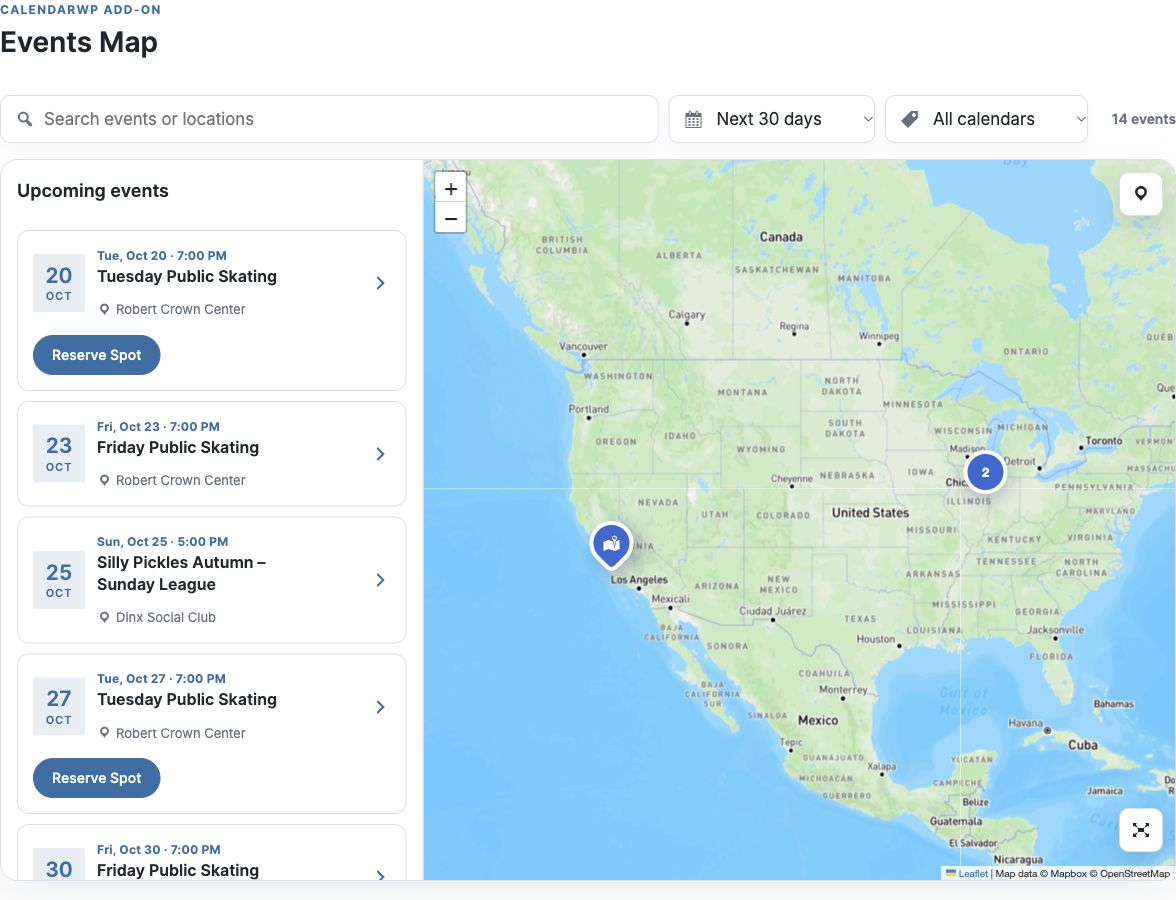 Split map and event list. The search field, date range and calendar filter sit above the results. Reserve Spot appears only for events with the relevant Scheduler booking configuration. Click to enlarge.
Map First Explorer
Choose Map-first explorer for a large map with a horizontal row of event cards underneath. This view puts geographic exploration first while retaining event titles, times and venues close to the map.
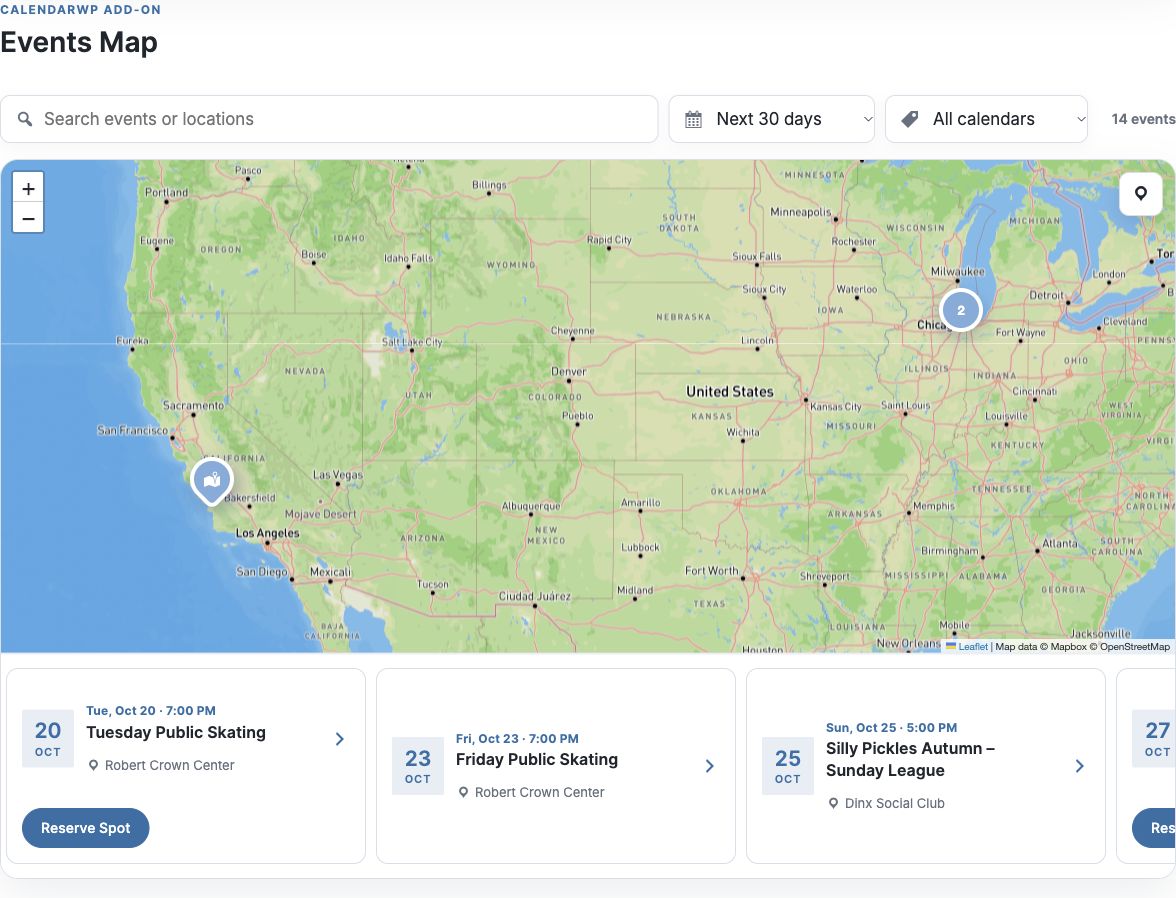 Map-first explorer. Browse locations on the map and matching event cards below it. The example shows fourteen event occurrences within the selected date range. Click to enlarge.
Venue Directory
For a venue-focused directory, choose Venue discovery in the block's Layout setting. Cards summarize each venue, its location and its upcoming event count, instead of repeating a card for every event. Visitors can select a venue to explore events there.
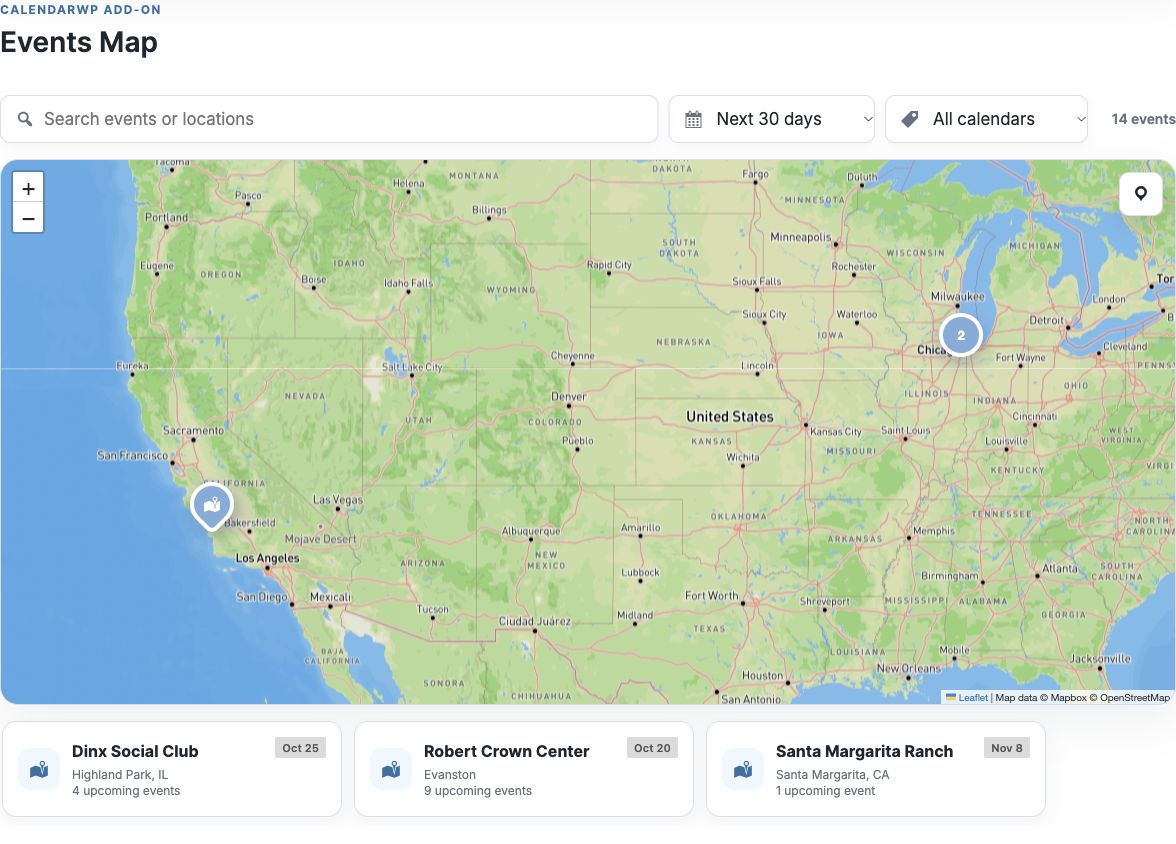 Venue Directory, labeled Venue discovery in the editor. This example groups fourteen event occurrences under three venues. Counts reflect the matching results, not every event ever assigned to the venue. Click to enlarge.
Explore venue popups
Select a venue marker to open an Events here popup. Depending on the configured popup options, it can include event images, times, excerpts and a Get directions link. View venue events opens the venue's event page. Close the popup to continue browsing the map.
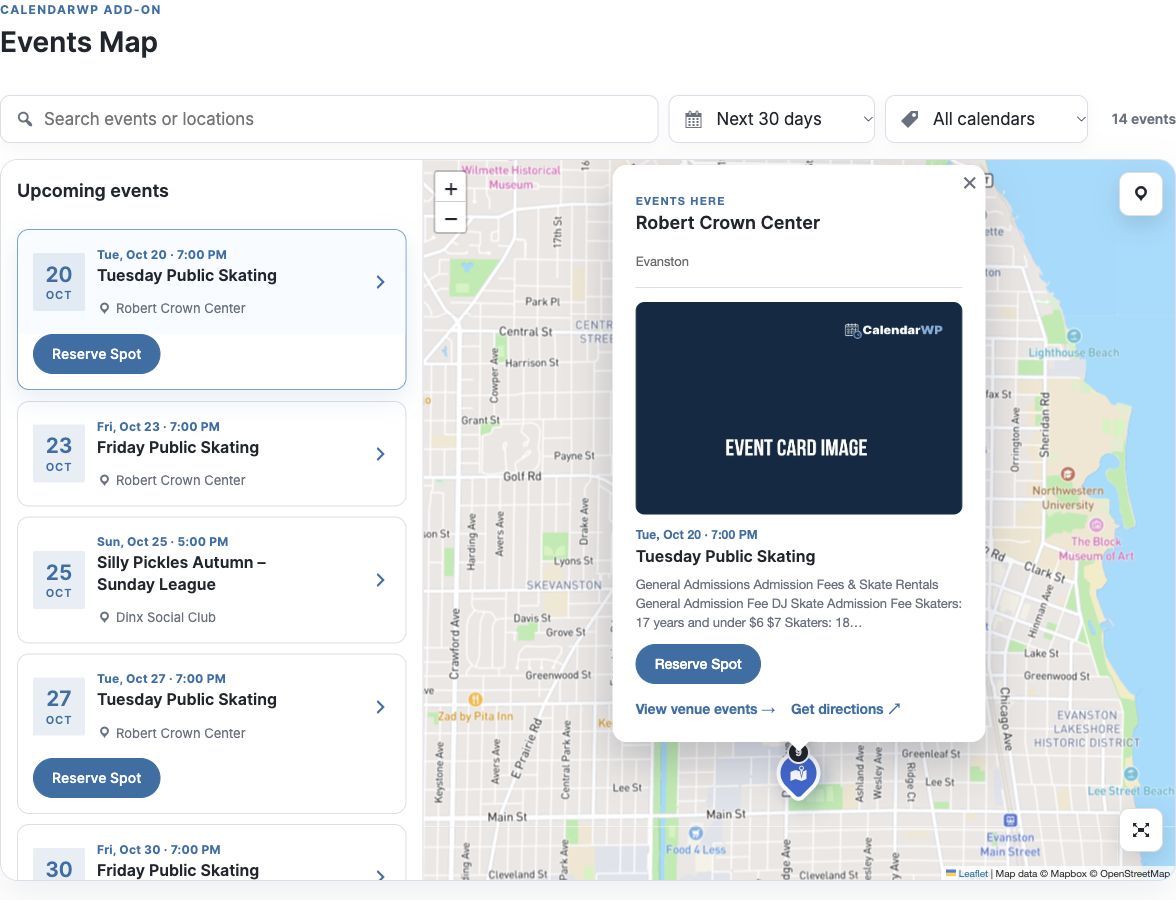 Robert Crown Center in Split view. This popup includes an event image, time, excerpt, Reserve Spot, View venue events and Get directions. These controls depend on the block settings and event configuration. Click to enlarge.
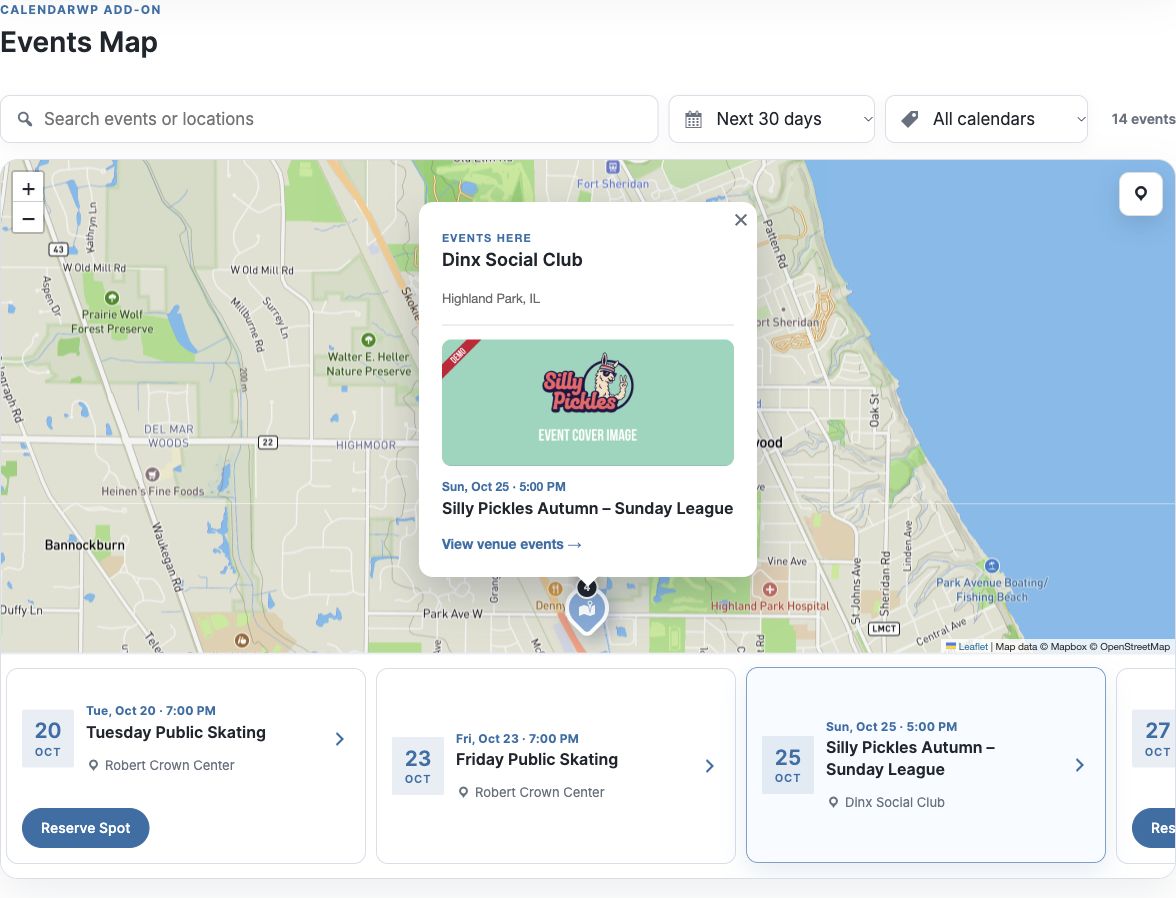 Dinx Social Club in Map-first explorer. The popup shows an event image and time, with a View venue events link. The map and event cards remain part of the same browsing experience. Click to enlarge.
Adjust popup content under Options > Add-on Settings > Events Map > Popup, or use the block's supported overrides. To show booking actions, enable Show Scheduler booking buttons in the block's Event actions panel and configure Scheduler for the relevant event. Events Map presents the booking entry point; Scheduler handles the booking workflow.
The optional current-location control asks the browser for location permission. Visitors can still browse with search, filters and the map if they do not share their location. Keep map-provider attribution visible when customizing your map.
Troubleshooting
- No events: check publication status, upcoming dates, filters and venue assignment.
- No location: correct the venue's address or coordinates and check the configured Mapbox integration.
- Unexpected styles: check whether the block uses shared defaults or its own overrides.
- Personal events absent: this is expected. Public maps exclude Personal Calendar records.
Test Map/List controls and event links on a phone and with a keyboard. A usable list alternative matters even when the map works.
Applies to Events Map 1.0.39.