
CalendarWP is the next chapter of Calendarize it! For existing customers →

Add-ons / CalendarWP

RSVP (Event Registration)
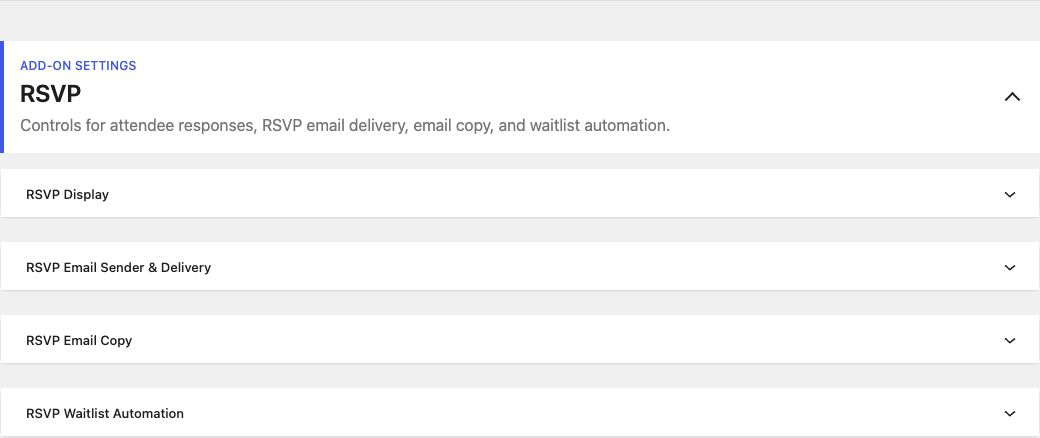
RSVP settings sections for privacy, display, sender, email copy and waitlist automationOptions > Add-on Settings > RSVP. Review privacy and email delivery before enabling a registration workflow. No attendee records are shown. Click to enlarge.

Collect free event registrations and manage capacity, waitlists, approvals and attendance. Use Scheduler when you need its booking-type and paid-booking workflow instead.

RSVP registration, availability and frontend cards respect event publication, password protection and personal-calendar ownership. Anonymous visitors cannot use an event ID to bypass these restrictions. An existing attendee’s signed self-service link remains a separate authorization path for managing that registration.

Set up registration

  1. Install core and activate CalendarWP - RSVP (Event Registration).
  2. Edit an event, enable RSVP and configure capacity, waitlist, approval and self-service choices.
  3. Review confirmation messages and notification settings before publishing.
  4. Submit a test registration with an address you control. Check its status in the management screen and verify the email and self-service link.
  5. Test the capacity boundary and cancellation behavior using synthetic attendees before advertising registration.

Pending approval and waitlisted records are not interchangeable with confirmed attendance. Use the displayed status to decide what action is appropriate. A confirmation shown in WordPress does not prove that an email reached the recipient.

Manage attendees

Give staff only the permissions they need. RSVP management and CSV export have separate capabilities. Keep exported attendee information private; do not put it into event descriptions, Compass FAQs or public support tickets.

Self-service links grant access to a particular registration. Treat them as private and avoid sharing complete links in screenshots or logs.

Troubleshooting

  • Missing form: check the add-on, event's RSVP setting and selected template.
  • Registration not confirmed: inspect capacity and approval/waitlist settings before retrying.
  • Missing email: check WordPress mail delivery and the booking status; avoid repeated submissions that obscure the original outcome.
  • Export unavailable: check the user's export capability rather than granting unrestricted administration.

Review retention under the relevant privacy settings and use WordPress personal-data tools as appropriate. Back up before removal.

Applies to RSVP 1.0.35.

Registration is available only for dates in the event’s saved occurrence schedule. Excluded dates cannot accept new registrations. Equivalent timestamps share the same capacity limit. Existing attendee management links remain available after a schedule change.

Coming soon · Community Events

Make room for your community.

Give your members a place to share what’s happening and help your calendar grow together. Community Events is one of nine add-ons coming with CalendarWP.

We’re putting the finishing touches on it. The full reveal is coming soon.

Coming soon · Compass

Their next great plan starts with a search.

Help visitors discover the events that speak to them, right on your WordPress site. Compass is one of nine add-ons coming with CalendarWP.

We’re putting the finishing touches on it. The full reveal is coming soon.

Coming soon · RSVP

Turn interest into a place on the guest list.

Make it easy for people to say they’re coming, and keep your event attendance organized. RSVP is one of nine add-ons coming with CalendarWP.

We’re putting the finishing touches on it. The full reveal is coming soon.

Coming soon · Scheduler

Make time for what comes next.

Bring your availability and bookings together in an experience built around your time. Scheduler is one of nine add-ons coming with CalendarWP.

We’re putting the finishing touches on it. The full reveal is coming soon.

Coming soon · Event Gallery

Let your photos tell the story and give visitors a glimpse of what awaits. Event Gallery is one of nine add-ons coming with CalendarWP.

We’re putting the finishing touches on it. The full reveal is coming soon.

Coming soon · Event Countdown

Something worth counting down to.

Build anticipation for your next event. Event Countdown is one of nine add-ons coming with CalendarWP.

We’re putting the finishing touches on it. The full reveal is coming soon.

Coming soon · Events Map

Put their next experience on the map.

Help visitors discover what’s happening and where to find it. Events Map is one of nine add-ons coming with CalendarWP.

We’re putting the finishing touches on it. The full reveal is coming soon.

Coming soon · Personal Calendars

A calendar that feels like theirs.

Give signed-in members a dedicated view of the events assigned to them. Personal Calendars is one of nine add-ons coming with CalendarWP.

We’re putting the finishing touches on it. The full reveal is coming soon.

Coming soon · Google Calendar Sync

Your plans. A wider audience.

Bring events from Google Calendar into your WordPress site, with one-way synchronization. Google Calendar Sync is one of nine add-ons coming with CalendarWP.

We’re putting the finishing touches on it. The full reveal is coming soon.

CalendarWP help

Use ↑ and ↓ to explore results. Enter opens a result. Escape closes search.

Browse all guides →

Scheduler screenshot